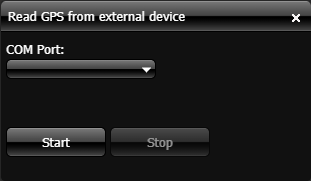
Read GPS from external device dialog box
The Read GPS from external device dialog box is opened by clicking  on the GATA panel. It allows you to give GATA access to your current location when you do not have a GAR unit or an Over-The-Air unit. This location data is then displayed on the GATA map and on OSS-ESPA's Sentinel screen, where your movements can be monitored. This allows you and other personnel, to determine your position relative to a point of interest, such as a location or a suspect. It allows all personnel using GATA to monitor areas you are searching, which means it is easier for monitors to direct personnel to useful search areas and avoid multiple personnel searching the same areas.
To use an external GPS device you must use this dialog box to select the USB port that the GPS device is connected to, for example your phone. Both USB and bluetooth GPS are supported. If you are using a phone you must also ensure it does not lock. Once you have started the tracking, your location is updated on both the GATA map and on OSS-ESPA's Sentinel screen every second.
If you require information on using an external GPS device refer to Using an external GPS device.