Software description
On the Map screen, the GATA user interface displays case data that is useful when you are conducting a real-time tracking mission.
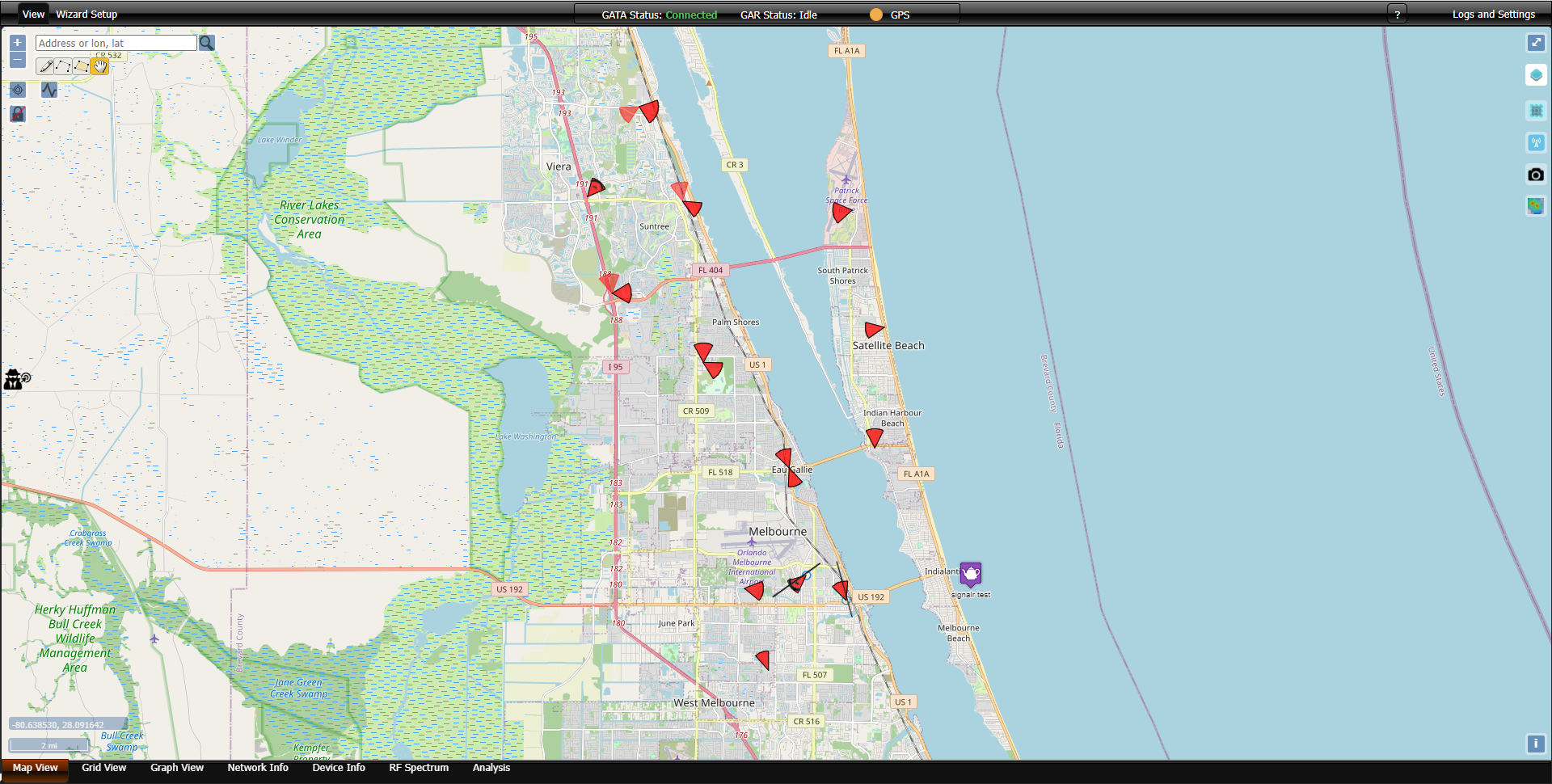
You can rotate the map so that the top is oriented to a direction other than north.
-
Touchscreen: touch an area with two fingers and drag both fingers in a circular motion.
-
Laptop: press Shift and drag the cursor.
To reorient the map back to north, click  .
.
Additional tools and options are available to control the Map screen and access other features.
|
Icon |
Option |
Description |
|---|---|---|
|
|
Search |
Allows you to search for a location on the map by street address or longitude/latitude coordinates. To search by coordinates, enter the longitude before the latitude. |
|
|
Map lock |
Allows you to lock the map if you prefer to view a specific map location. |
|
|
Full screen |
Allows you to expand the map windows to fill the screen. This option is only available on certain browsers. |
|
|
Center |
Allows you to refocus the map to set your field unit's current location as the center of the map. |
|
|
Zoom |
Allows you to narrow or expand the focus of the Map screen. |
|
|
Layers and Legend |
Allows you to select what data is displayed on the Map screen. For example: Current location: the data from the current collection Sentinel layers: this allows you to select which case data received from OSS-ESPA's Sentinel solution is displayed. Offline maps: these are useful to display if you have no internet connection. Field units: Each active field unit allows you to select which of its attributes are displayed, for example the Direction finder pop-up and the unit's name. |
|
|
Drawing tools |
Allows you to draw shapes on the map to conduct analyses on data collected on locations within. Drawn polygons must be saved using the context menu before they can be used. |
 |
Download maps | Click to download offline maps for using with GATA. |
 |
Notifications |
This appears automatically if there is any change to a device's subscriber information (IMSI, MSISDN, SUPI-IMSI, GPSI-MSISDN, SUCI, GUTI-5G) and the device information (IMEI, IMEISV, PEI-IMEI, PEI-IMEISV). This type of alert notifies you of pertinent changes related to the target device which may require you to reconfigure other mission equipment in order to accomplish your mission. |

|
GATA panel | Allows you to open the GATA panel used in real-time tracking. |



