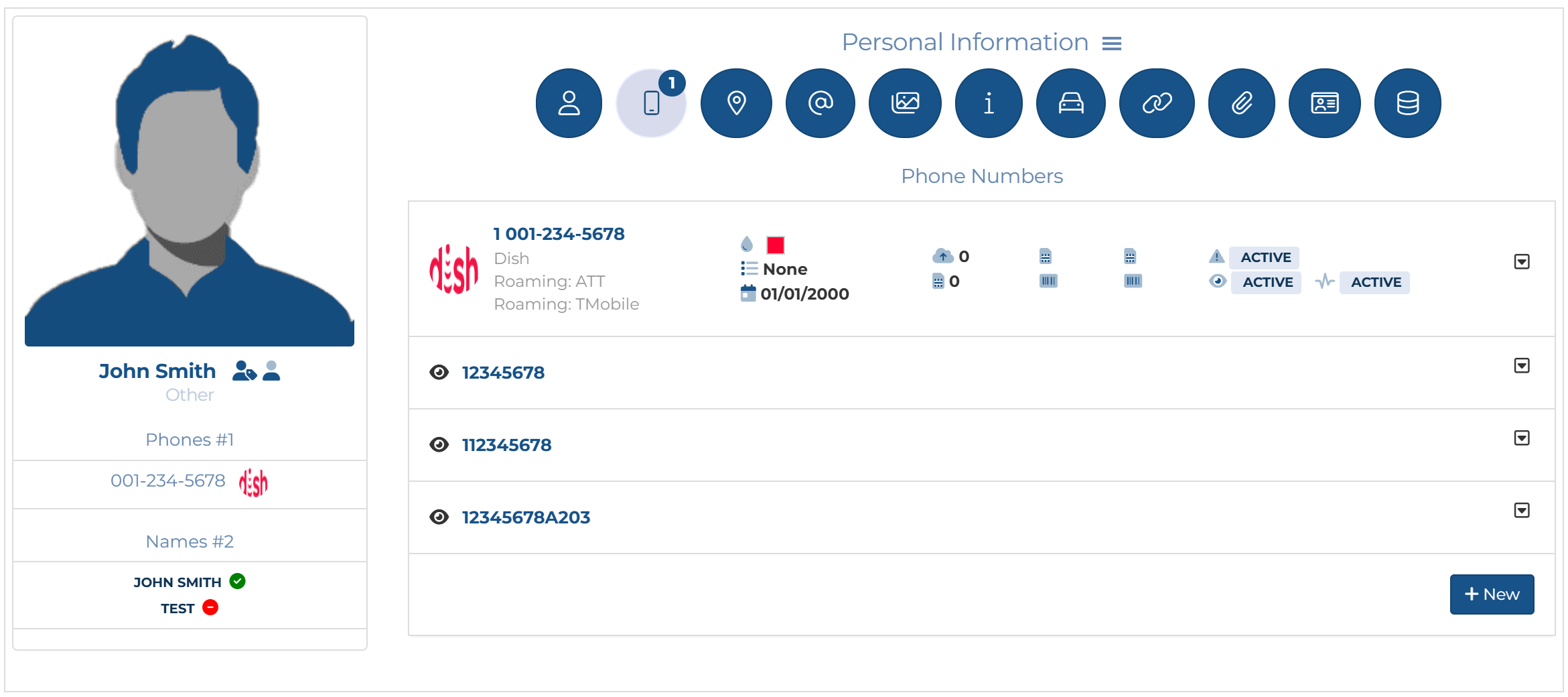
Cross provisioning a Dish pen target
To configure Dish cross provisioning you must set the phone to include ATT and T-Mobile as roaming operators then enable Smart Track and Intercept monitoring.
Dish roams on both ATT and T-Mobile networks so you must ensure any targets using the Dish operator are set up correctly using cross provisioning as detailed in the following procedure.
You can also click here for a short video showing how to configure Dish cross provisioning.
-
Add a person as you normally would using the People and devices screen.
-
Click
 , to display the Phone numbers tab. If the settings for entering a new phone number are not already displayed, then click New.
 -
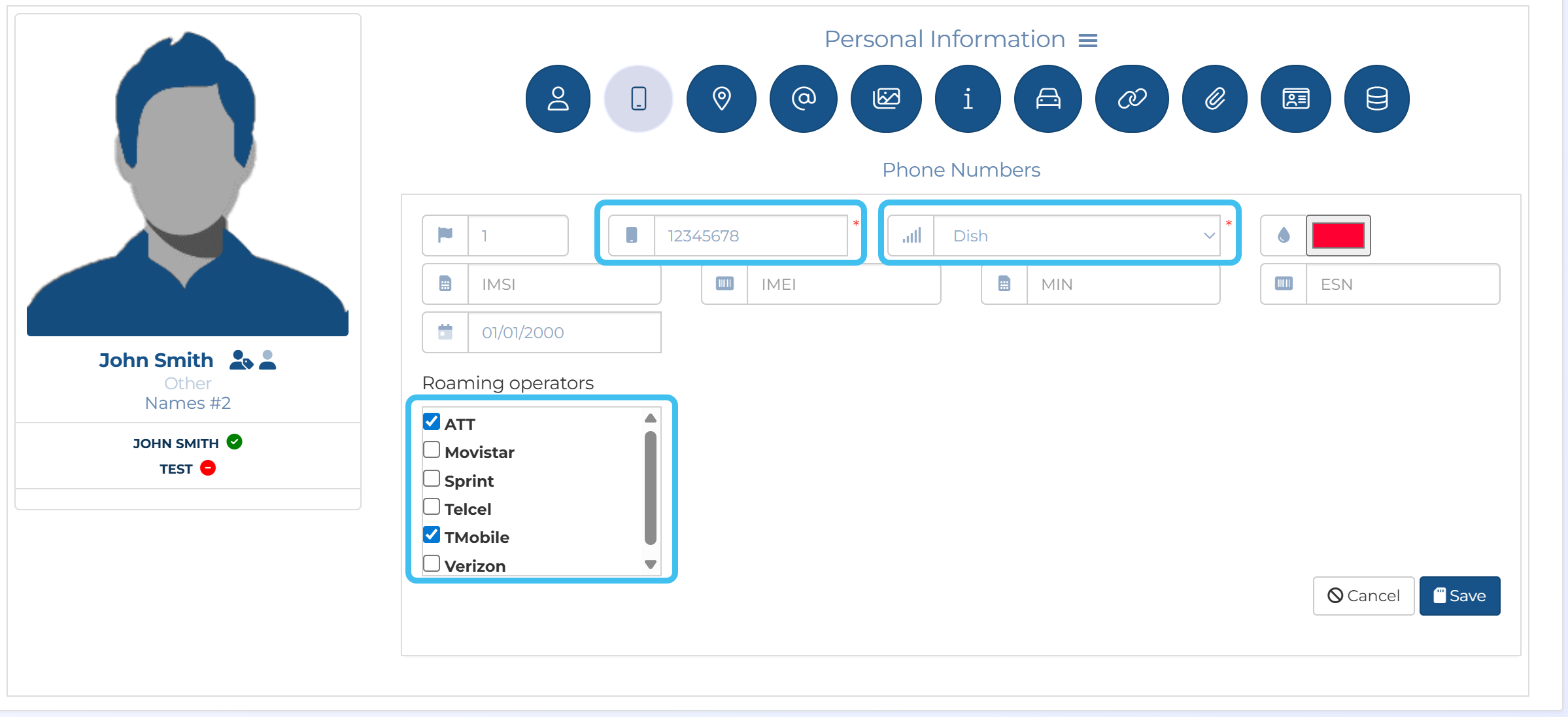
In Phone numbers:
-
Enter the Phone number.
-
In Operator select Dish.
-
In Roaming operators select ATT and TMobile.
-
Click Save.
-
-
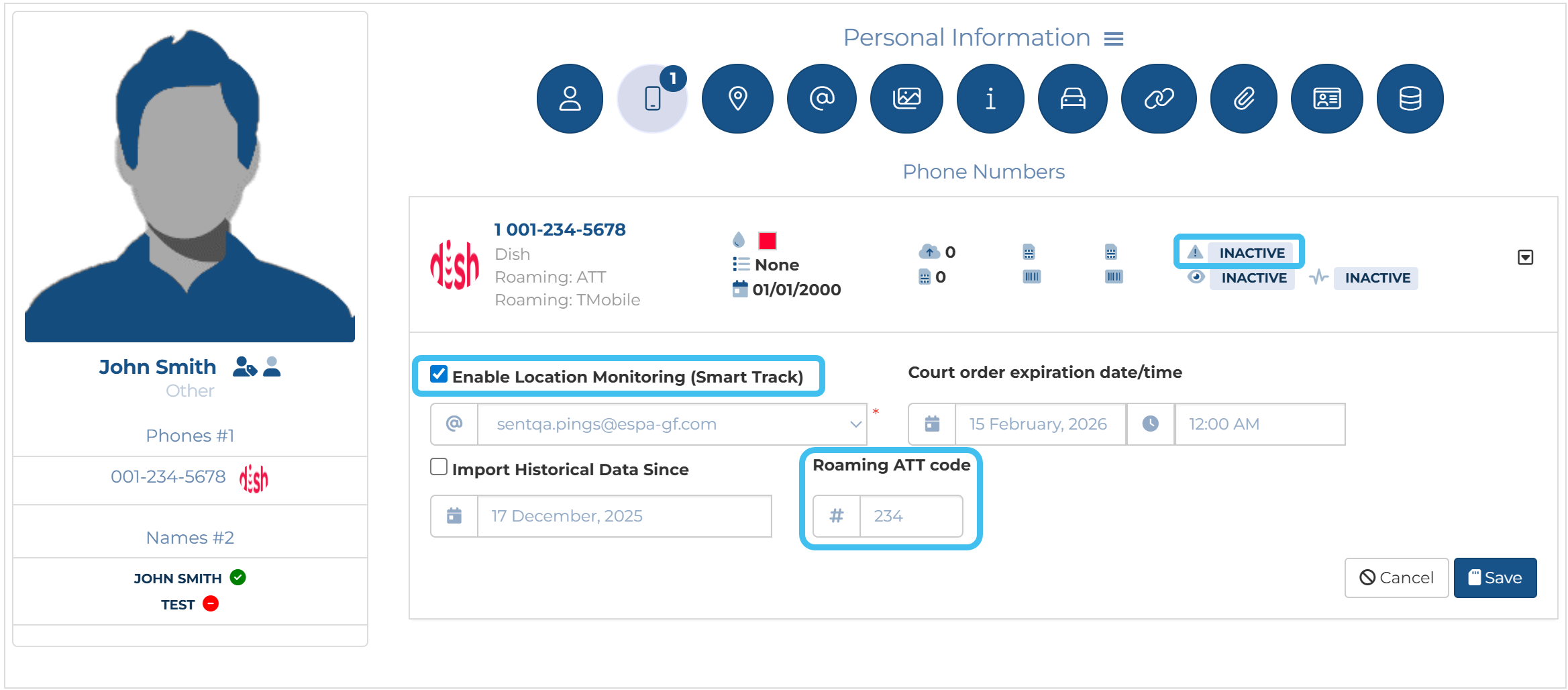
For the phone number, configure Smart Track:
-
Click
 to open the Smart Track settings.
 -
Select Enable location monitoring (Smart Track).
-
In Roaming ATT code enter the ITN number.
-
Click Save.
-
-
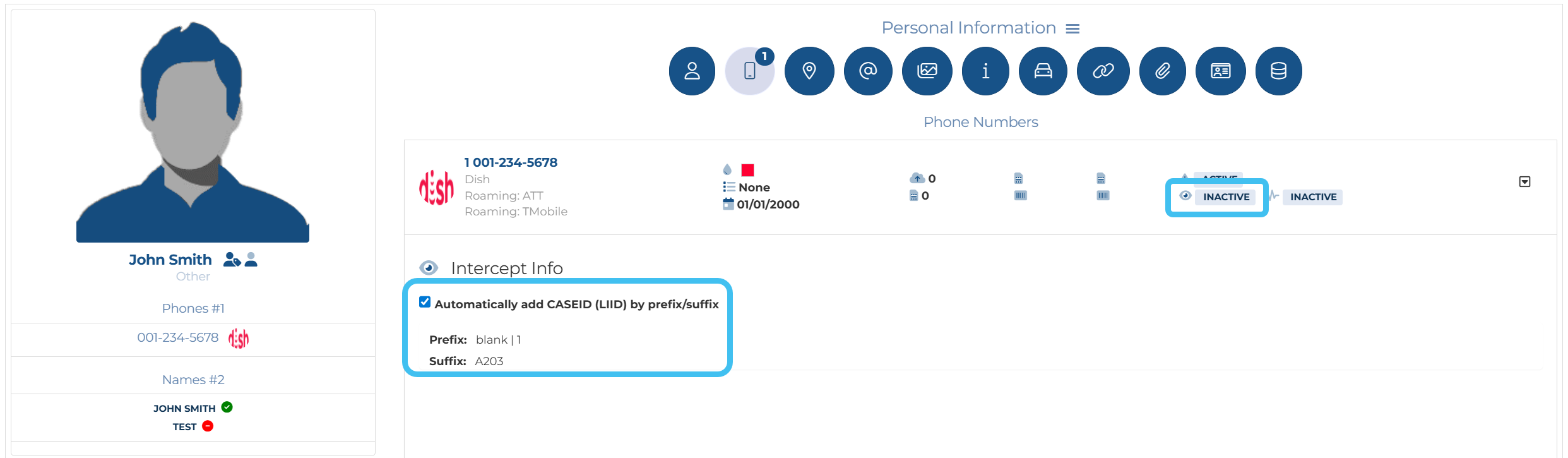
For the phone number, configure intercept monitoring:
-
Click
 to open the intercept monitoring settings.
 -
Click Create i-case.
-
Ensure Automatically add CASEID (LIID) by prefix/suffix is selected.
Immediately below it displays the prefix/suffix it will add.
-
Click Save.
-
-
You are now set up to do cross provisioning on multiple networks.