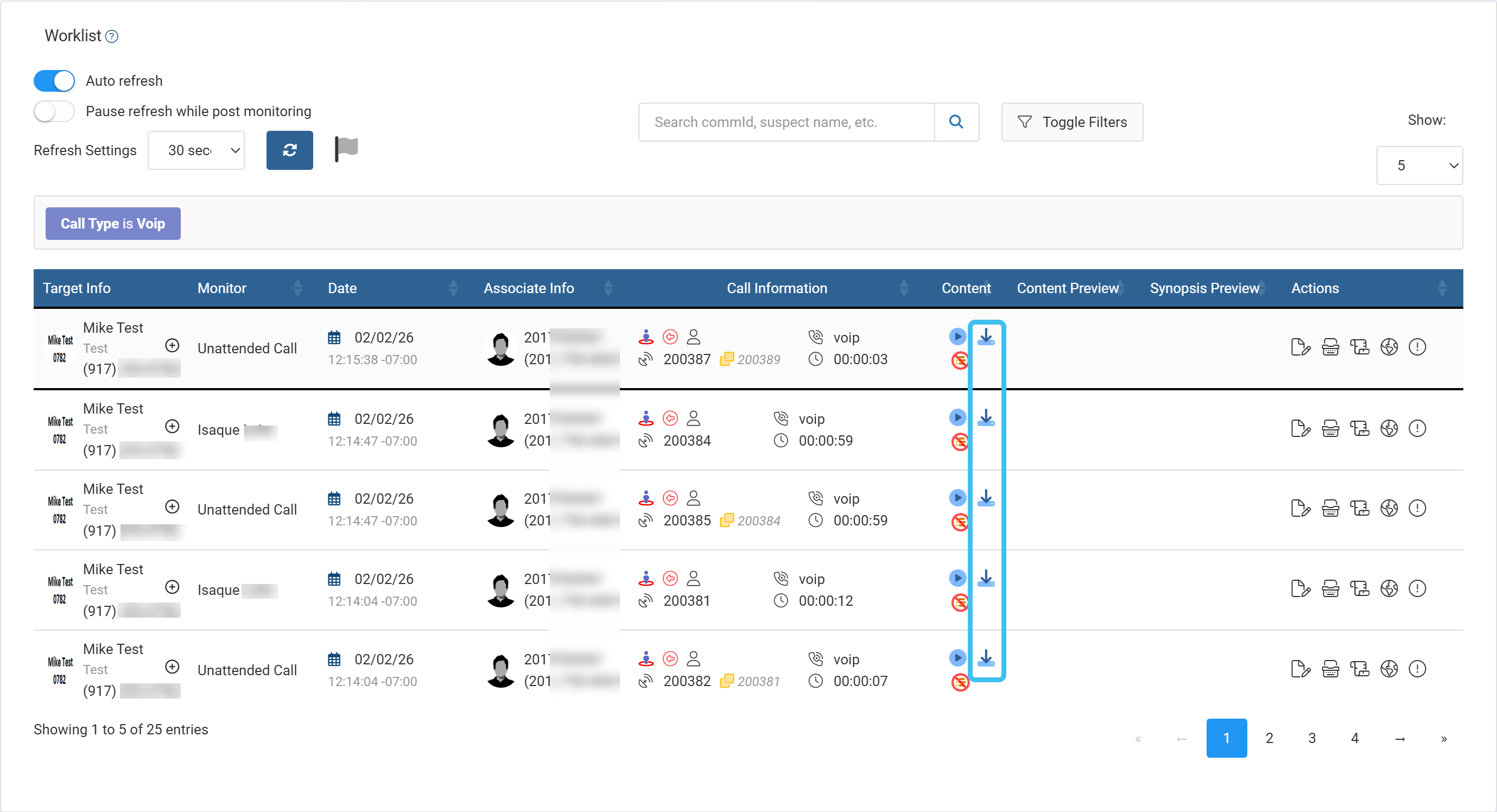
How to allow audio downloads
When audio downloads are enabled, a user with the monitor administrator permission can download audio from intercepted T3 voip calls on both the Live monitoring screen and the Evidence Management and Reporting screen. To enable audio downloads:
-
On the main menu click Settings, then click Admin settings.
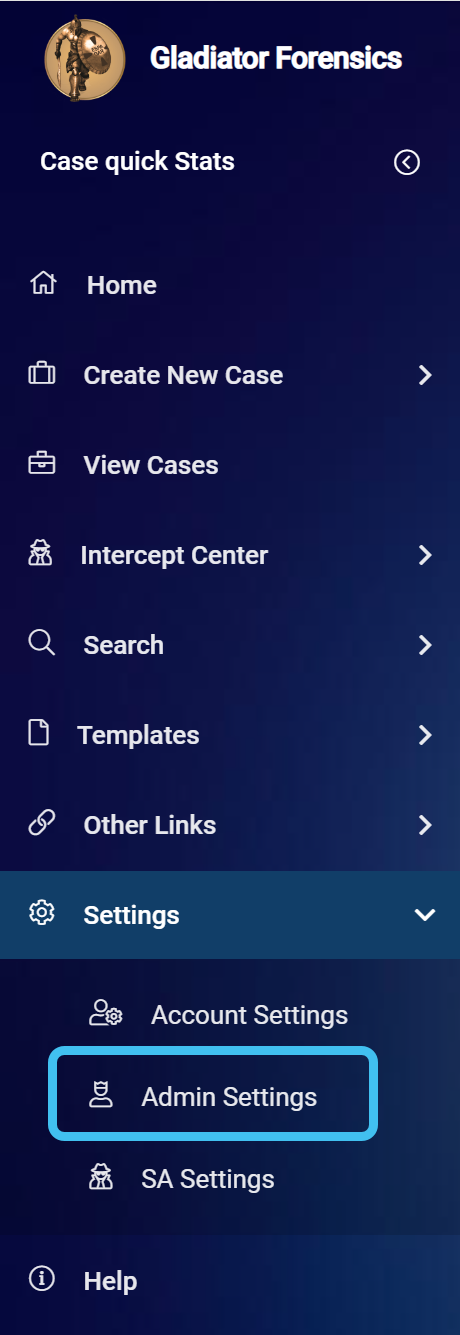
The Admin settings screen opens.
-
In Sentinel administration, click Settings.
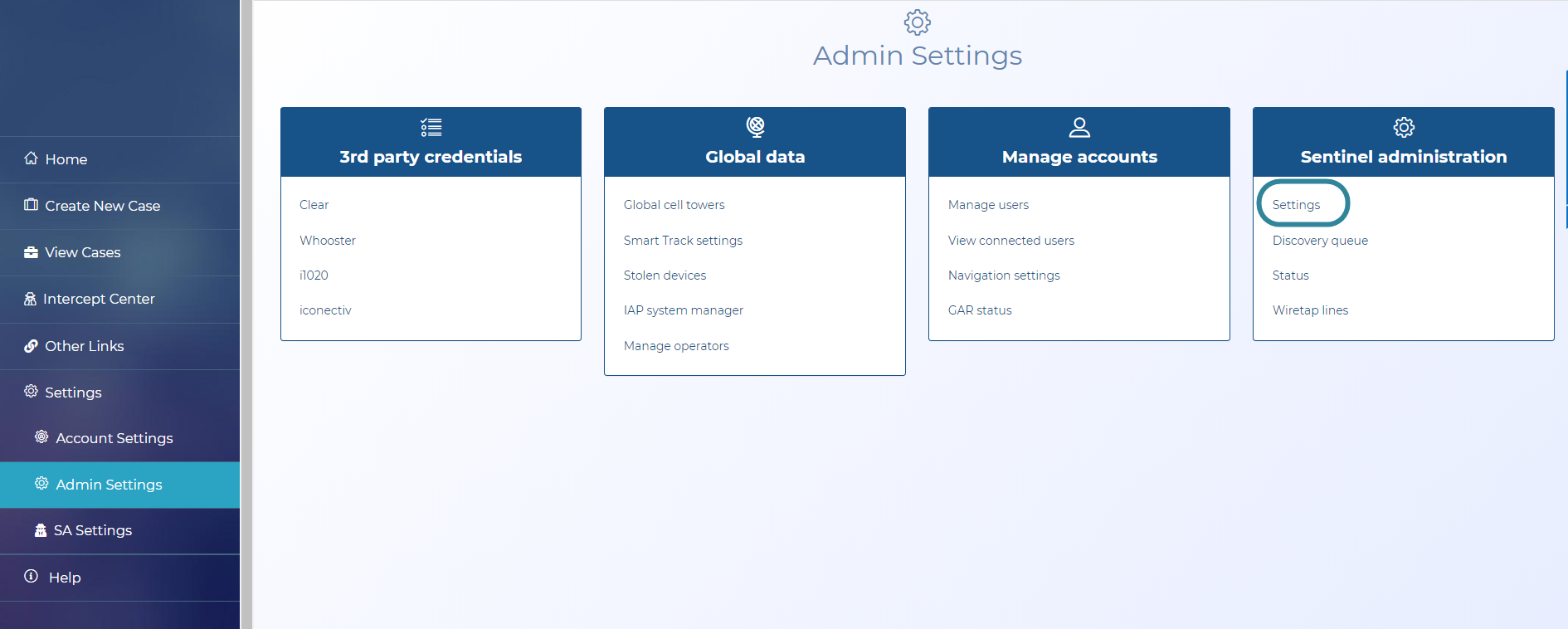
The Sentinel settings screen opens.
-
In Administrative settings, click Setup.

The Administrative settings screen opens.
-
Select Allow download audio.
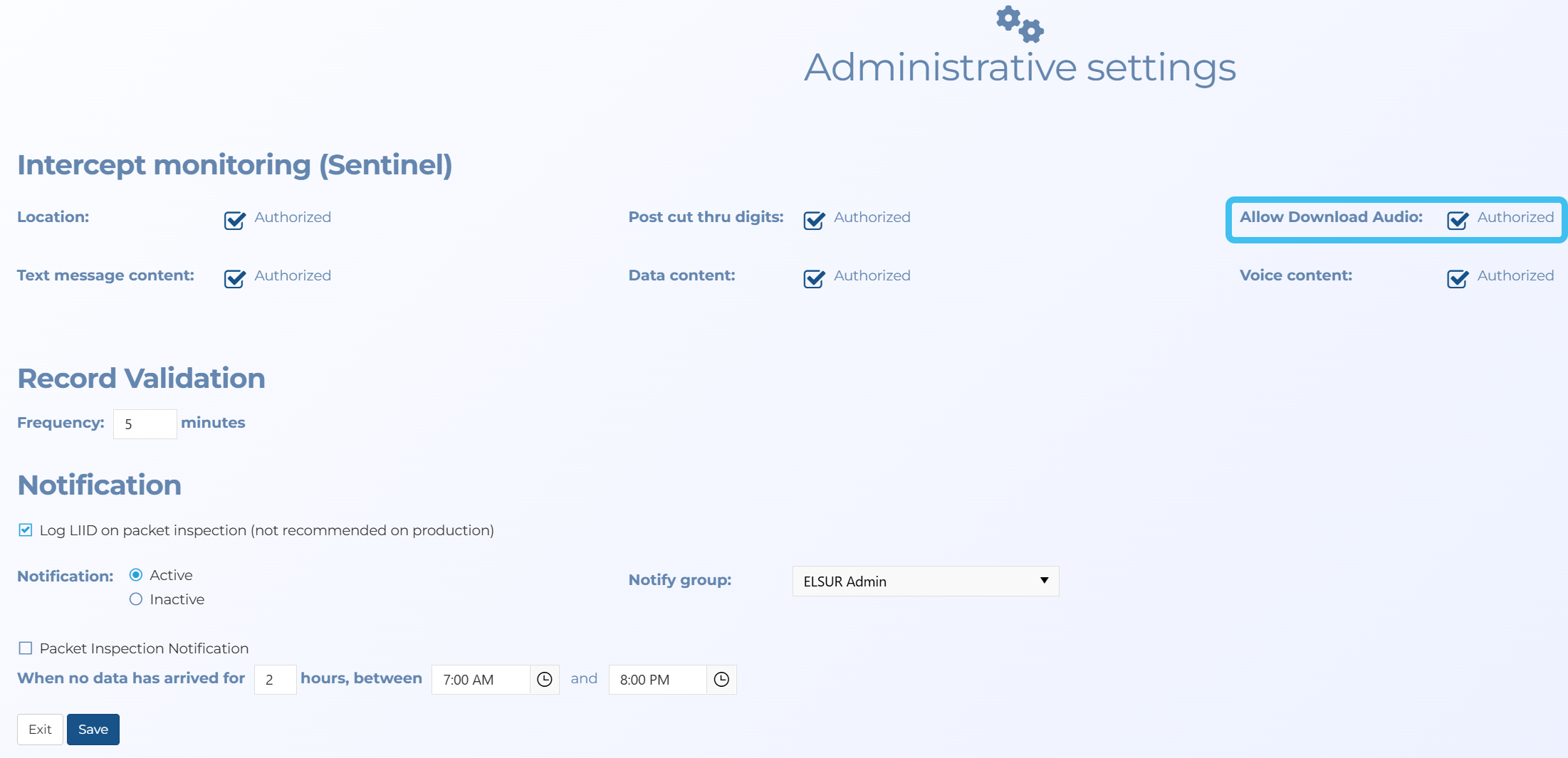
A user with the monitor administrator permission can download audio from intercepted T3 voip calls